Media Center Hours: Mon-Thurs. 7:45 - 3:15 & Fri. 7:45 - 3:00
Welcome to the WRHS Media Center!
The WRHS Media Center staff works to meet the school’s mission of empowering and inspiring all to achieve success. One of our goals in the WRHS Media Center is to promote a lifelong love of reading and learning. We strive to meet the needs of all our students by offering a wide selection of resources. We strive to support curricular needs, classroom instruction, and student learning at all levels.
Policies and Procedures
Book Checkout - Books are checked out for a 2 week period. We will renew books one time, which means students can have their book for 4 weeks. Students must pay for lost books and resources.
Chromebooks -Student Chromebooks are issued in the Media Center. Chromebook troubleshooting can be done by Media Center staff.
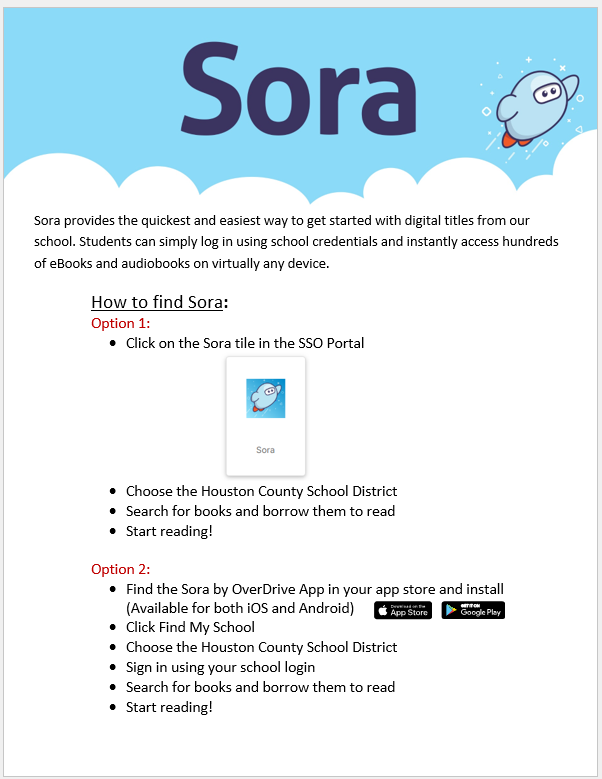
Online Resources - There are a variety of Online Resources available to students for research. The passwords for GALILEO and other databases are available in the Media Center. We would love to assist students in using these resources on our computers or on their own devices. Find these resources on the Student Links Page.
Printing and Copies - Printing in the WRHS Media Center is 10 cents per page and is only black and white printing.
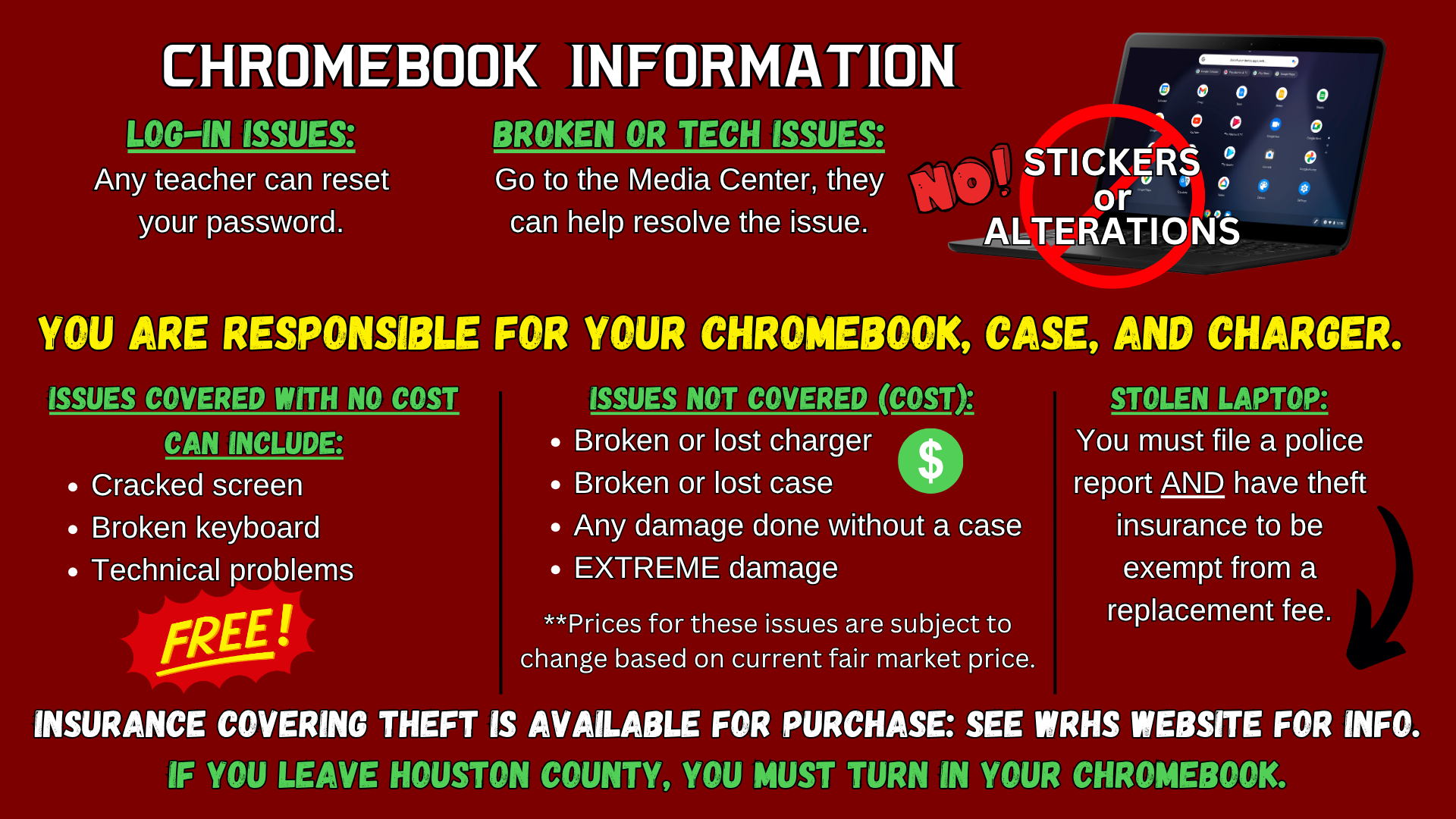
Log-In Issues: Any teacher can reset your password.
Broken or Tech Issues: Go to the Media Center as they can help resolve the issue.
No Stickers or Alterations!
You Are Responsible for Your Chromebook, Case, and Charger.
Issues Covered withe No Cost Can Include: Cracked screen, broken keyboard, technical problems
Issues Not Covered (Cost): Broken or lost charger, broken or lost case, any damage done without a case, EXTREME damage (**Prices for these issues are subject to change based on current fair market price.)
Stolen Laptop: You must file a police report AND have theft insurance to be exempt from a replacement fee.
Insurance covering theft is available for purchase: See WRHS website for information.
If you leave Houston County, you must turn in your Chromebook.